
Published Date:
Name Change, Gender Change, SSN or ITIN Update, Date of Birth Correction
Visit the Registration webpage and select Change Personal Information. This will take the individual to a form they will need to fill out.
Required Documentation
-
Name Change: Social Security Card
-
SSN or ITIN: Social Security card or ITIN authorization letter
-
Date of Birth: Government issued ID containing date of birth (Driver's License or Passport)
-
Gender Change: Court order or Driver's License
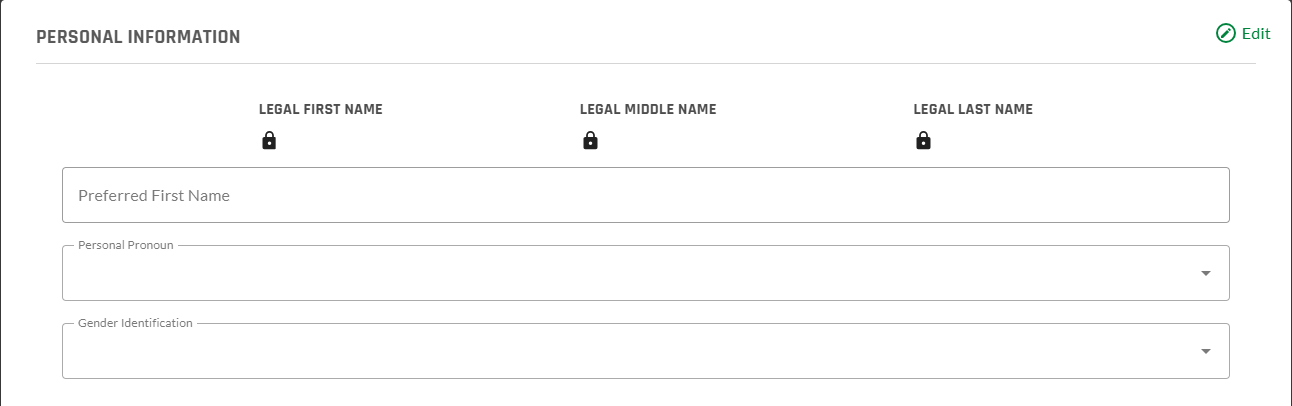
Preferred First Name, Personal Pronouns, Gender Identification
-
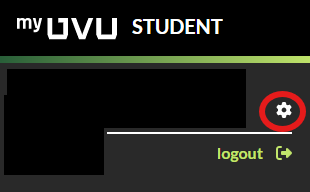
Visit your myUVU dashboard
-
Click the settings icon in the upper left corner
-
Update the desired information
Related Articles
Contact Support
If you could not resolve your issue using the provided solution, please contact the Service Desk.
You may also put in a Support Ticket directly with the Registrar’s Office.