
Published Date:
Solution
Utilizing myUVU
Go to your myUVU student portal, where you will see options to add classes under the registration and academics tab. You can use either the Schedule Wizard or the Add/Drop system.
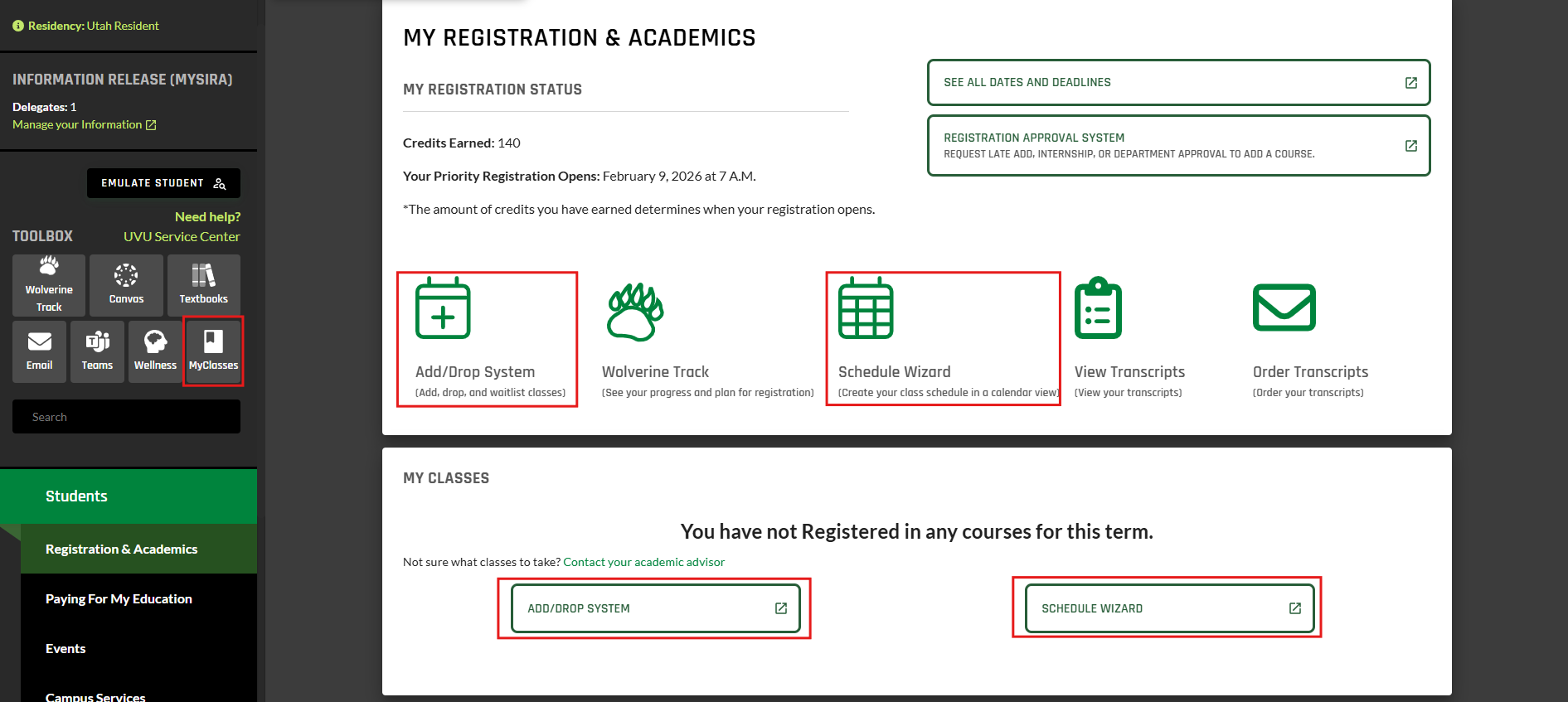
Schedule Wizard Instructions
-
Select the desired term
-
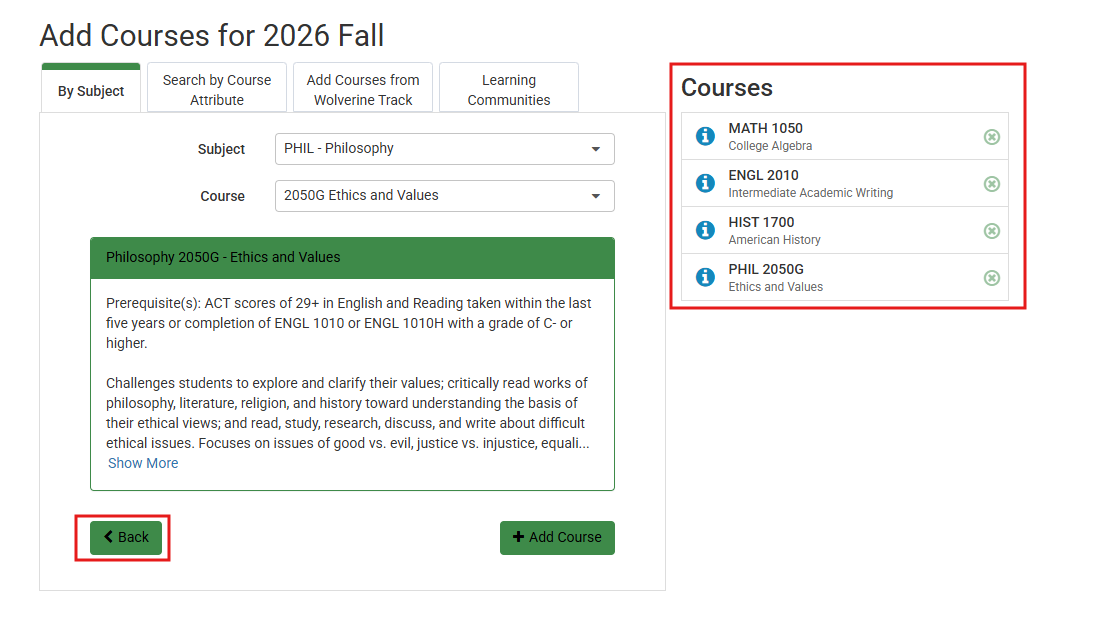
Add your desired courses and hit the back button
-
Add desired breaks
-
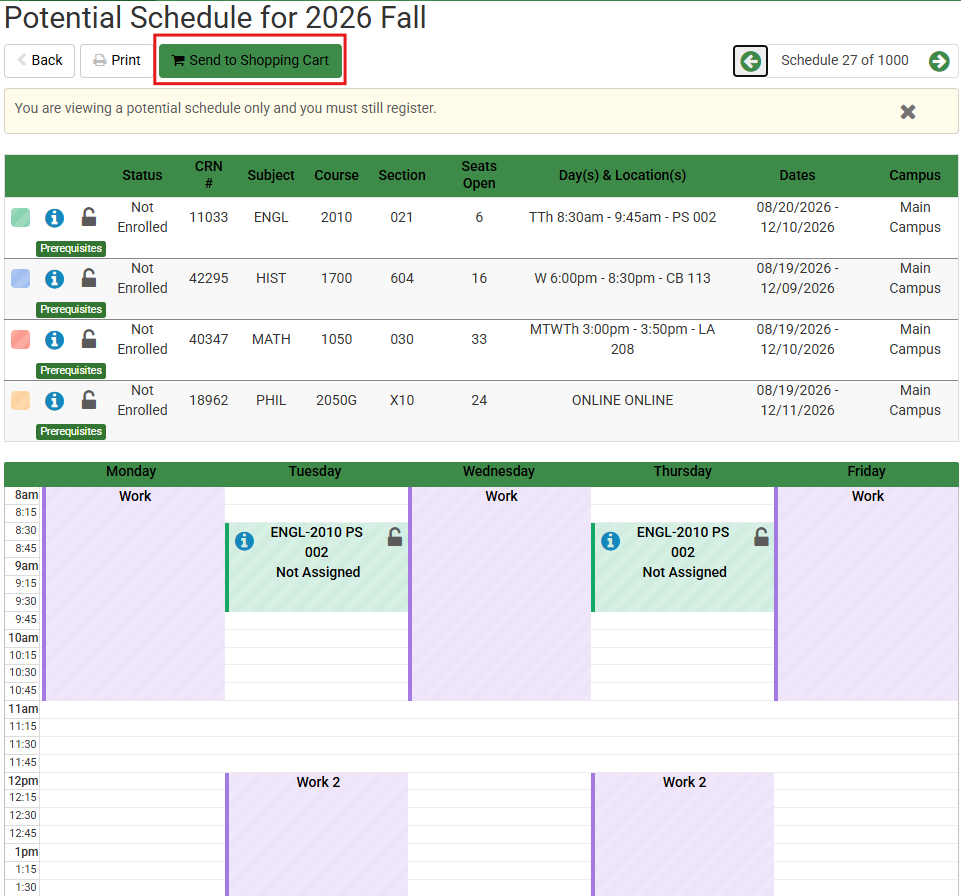
Generate possible schedules and hit send to shopping cart when you find one that looks best for you.
-
Register for the courses.
Add/Drop System Instructions
-
Select Add/Drop/Waitlist (sign in), and the desired term
-
Search the desired class
-
Add the class and submit
Related Articles
Contact Support
If you could not resolve your issue using the provided solution, please contact the Service Desk.
You may also put in a Support Ticket directly with the Registrar’s Office.